Hardware
I constantly tweak my homelab hardware setup. These are my notes.
Rack 1: Network & SBCs
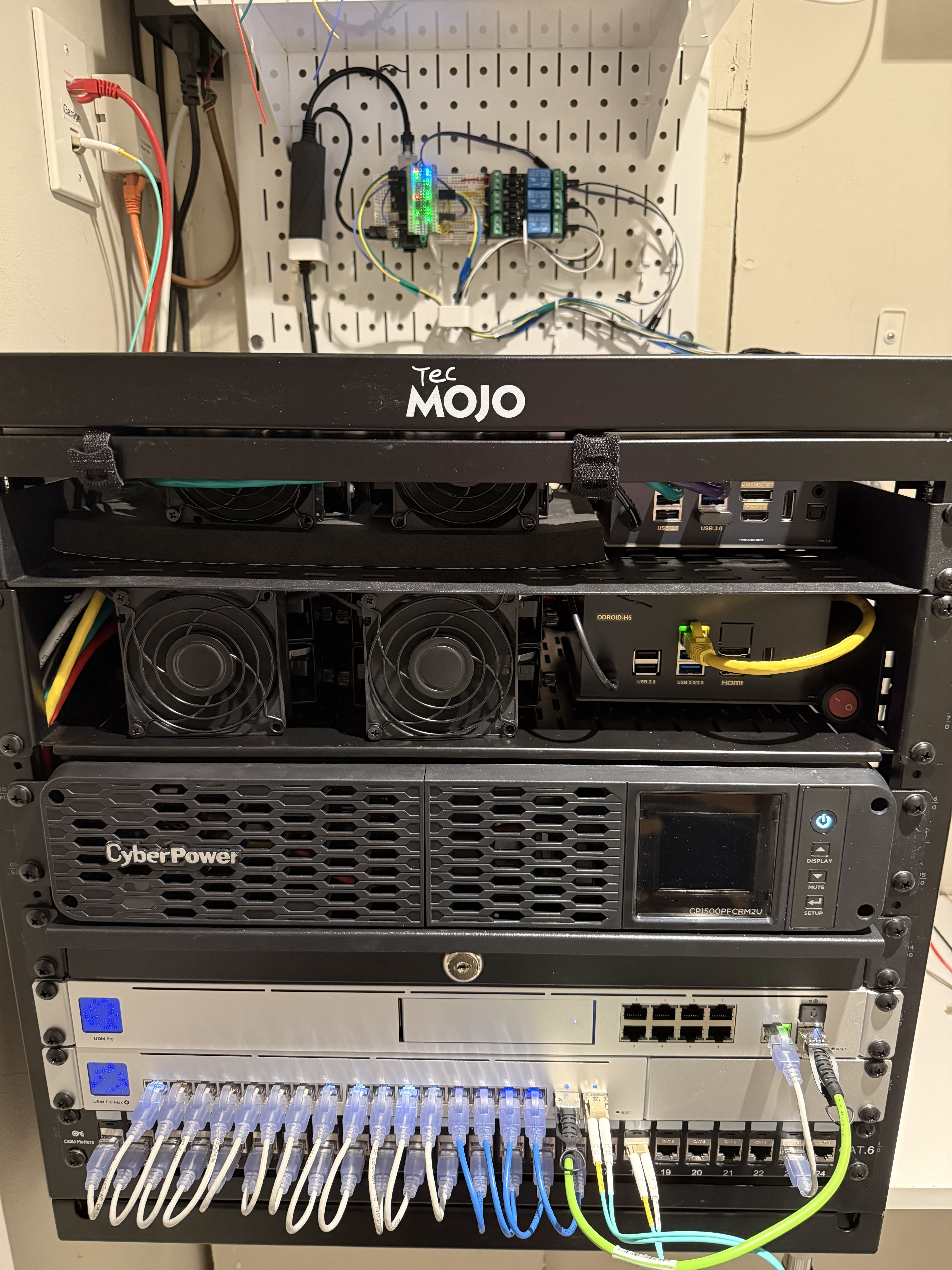
All the ethernet cables in my house terminate in a small closet. On the wall I’ve got a 9U rack with the core of my network stack as well as my main single-board computer (SBC) servers.
            9U WALL-MOUNTED RACK
    ┌──────────────────────────────────┐
  9 │   ≡≡≡  ≡≡≡  HDDs / SBC  ▒▒▒▒▒▒   │
    ├ └──────────────────────────────┘ ┤
  8 │                                  │
    ├   ≡≡≡  ≡≡≡                       ┤
  7 │   ≡≡≡  ≡≡≡  HDDs / SBC  ▒▒▒▒▒▒   │
    ├ └──────────────────────────────┘ ┤
  6 │                                  │
    ├  ◌ ◌ ◌ ◌  8-Outlet UPS  ◌ ◌ ◌ ◌  ┤
  5 │                                  │
    ├──────────────────────────────────┤
  4 │          Lockable Drawer         │
    ├──────────────────────────────────┤
  3 │              Router      [┬] [┬] │
    ├───────────────────────────│───│──┤
  2 │ [┬] [┬] [┬] [┬] Switch   [┴] [┴] │
    ├──│───│───│───│───────────────────┤
  1 │ [┴] [┴] [┴] [┴] Patch Panel      │
    └──────────────────────────────────┘
Slot  Part
────┬───────────────────────────────────
  9 │ SBC + WD Red Pro HDDs, 1U shelf
  8 │ --
  7 │ SBC + WD Red Pro HDDs, 2U shelf
  6 │ --
  5 │ CyberPower UPS CP1500PFCRM2U
  4 │ 1U 12" Lockable Drawer
  3 │ Unifi UDM Pro (Router)
  2 │ Unifi USW Pro Max 16 PoE (Switch)
  1 │ Cable Matters 24-port Patch Panel
  0 │ Tecmojo 9U, Swing Gate, 18" Depth
SBCs 1 & 2: The ODROIDs
The Hardkernel ODROID series is officially my favorite server platform. I elaborate on the H4 Ultra and H5 systems below, but in short these give me the same capabilities of my old full-depth rack servers at a fraction of the wattage and hardware cost.
SBC 1: ODROID H4 Ultra
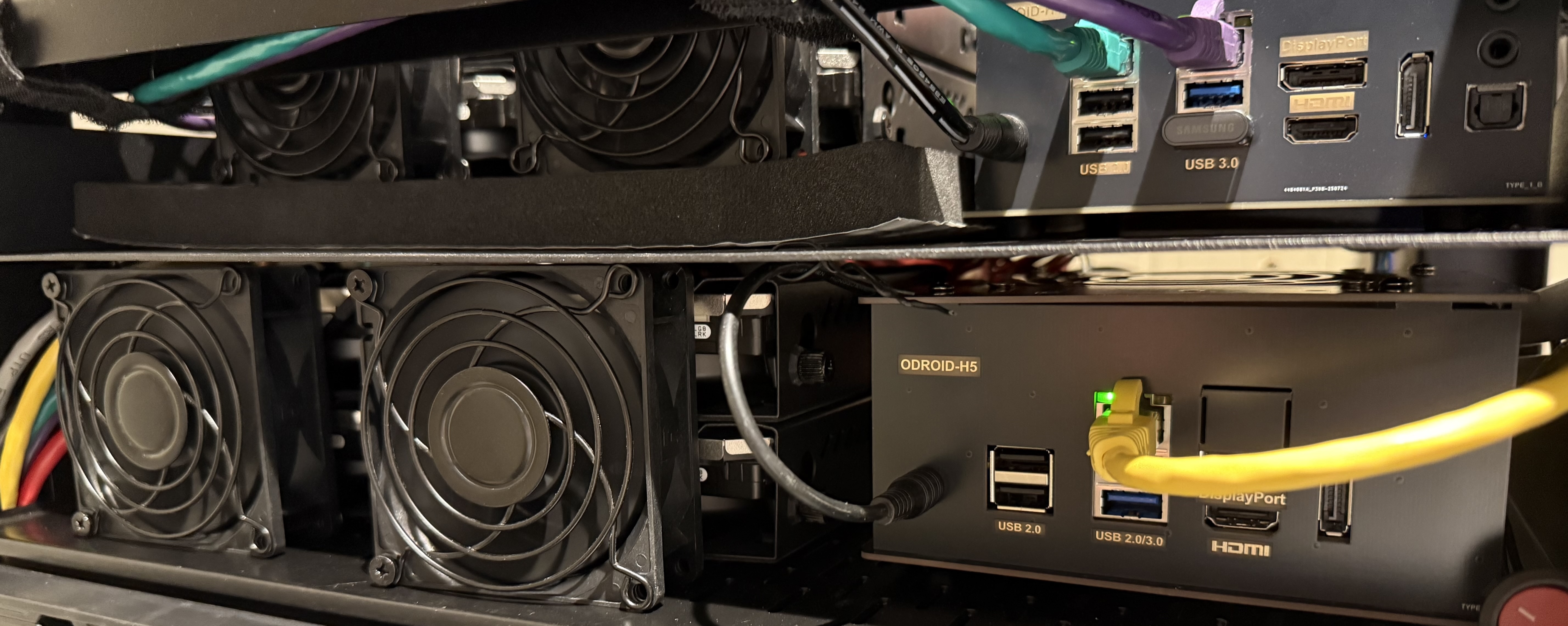
My main system is the ODROID H4 Ultra. It is what convinced me SBCs could take on server roles. With 4 onboard SATA ports, 1 NVMe SSD port, support for 64GB DDR5 RAM, and a processor that can easily handle several simultaneous 4K video decodes, it checked all the boxes for me. And most impressive, with 8 cores it comes in under 15 Watts of power consumption. I highly recommend this device. I run FreeBSD on it and everything just works.
ODROID H4 Ultra
─┬─────────────
 │
 ├─ CPU: Intel i3-N305
 │
 ├─ RAM: 64GB DDR5
 │
 ├─ SSD: 1TB
 │
 ├─ HDD: 22 TB ─┐
 │              ├─ Mirror ─┐
 ├─ HDD: 22 TB ─┘          │
 │                         ├─ 48 TB Pool
 ├─ HDD: 26 TB ─┐          │
 │              ├─ Mirror ─┘
 └─ HDD: 26 TB ─┘
 Qty  Physical Part
 ───┬────────────────────────────────────
  1 │ ODROID H4 ULTRA SBC
  1 │ Intel i3-N305 CPU w/ Quicksync
  1 │ Crucial 64GB DDR5 RAM
  2 │ WD Red Pro 26 TB HDD
  2 │ WD Red Pro 22 TB HDD
  1 │ Samsung SSD 970 EVO Plus 1 TB


 Qty  Virtual Part
 ───┬────────────────────────────────────
  1 │ FreeBSD - Operating System
  1 │ ZFS - File System
To give you a feel for why I love this system, consider the load I’m running and I never notice a slowdown or lag:
- Syncthing watching about 30 TB of data
- Restic accepting backups from a handful of people
- Plex serving media
- Desktop FreeBSD running with VNC access
- Dozens of small apps for IRC, email, news
- ZFS encrypted datasets with hundreds of snapshots managed by Sanoid
The only time I’ve been able to make it stutter was compiling FreeBSD Ports with poudriere with no constraints set (which, to be fair, can make a proper server choke).
I’m looking forward to see what Hardkernel releases next in this form factor.
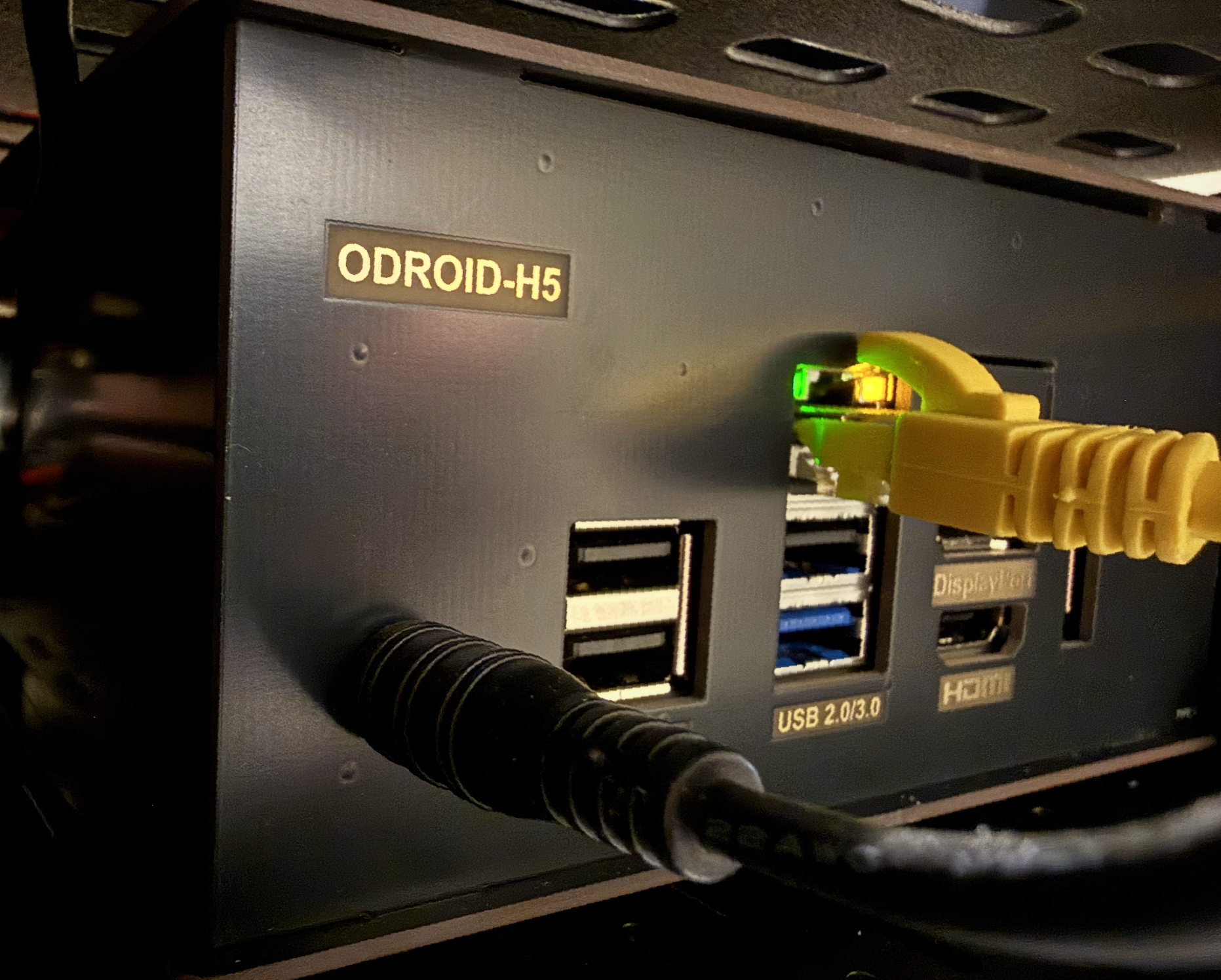
SBC 2: ODROID H5
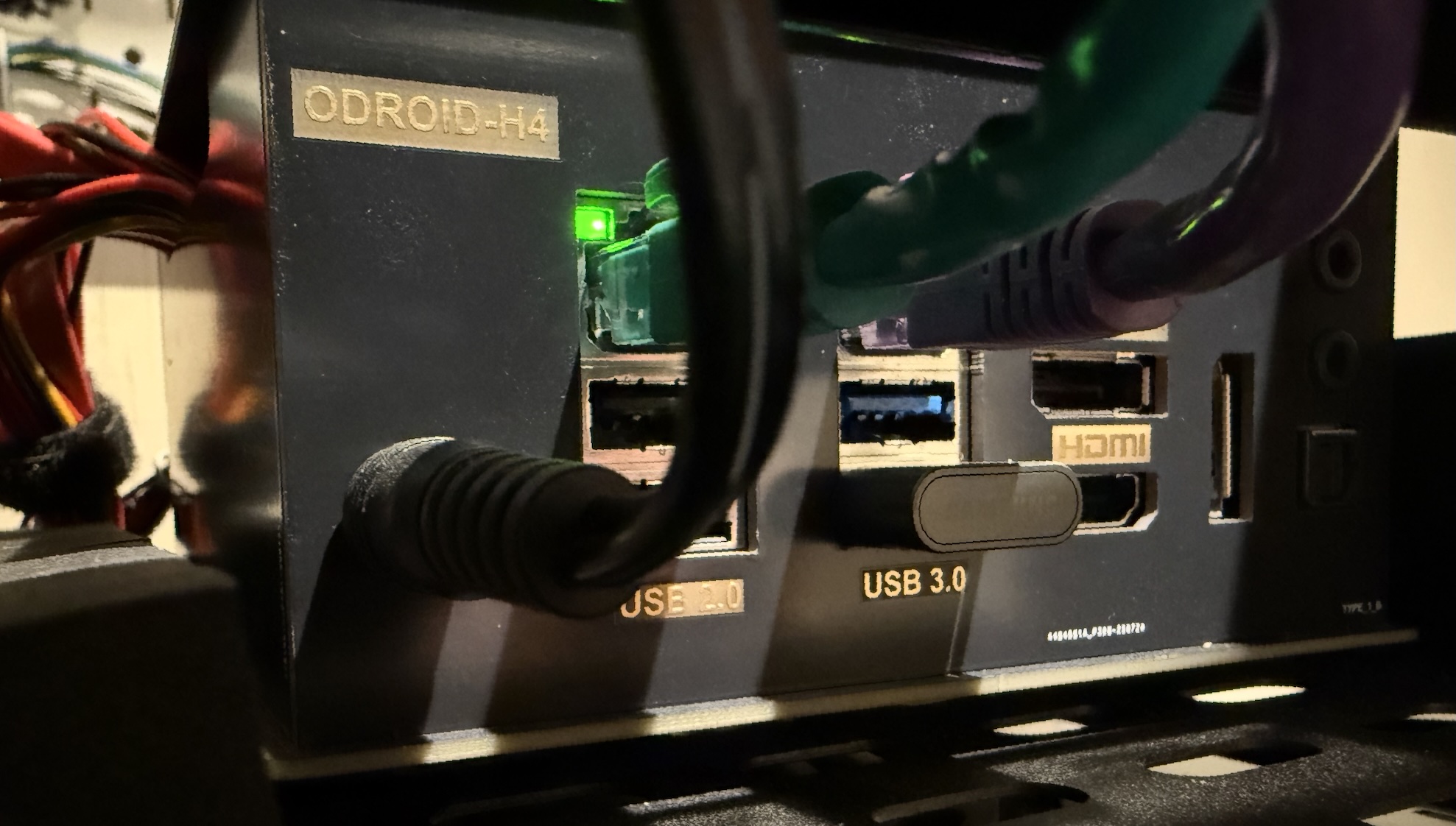
When I saw that Hardkernel announced the H5 in May 2026, I instantly bought one. For me, it was the long awaited “big rack killer” that allowed me to fully migrate away from the giant full-depth 15U rack in my garage (see end of this article). This device is very similar to the H4 Ultra with a few key difference: Intel i3-N300 processor, 4-port on-board SATA replaced by 6-port SATA via NVMe expansion card, and a single 10G ethernet port. This whole package runs at about 7W and idles closer to 2W.
ODROID H5
─┬───────
 │
 ├─ CPU: Intel i3-N300
 │
 ├─ RAM: 64GB DDR5
 │
 ├─ SSD: 8TB
 │
 ├─ HDD: 20 TB ─┐
 │              ├─ Mirror ─┐
 ├─ HDD: 20 TB ─┘          │
 │                         ├─ 40 TB Pool
 ├─ HDD: 20 TB ─┐          │
 │              ├─ Mirror ─┘
 └─ HDD: 20 TB ─┘
 Qty  Physical Part
 ───┬────────────────────────────────────
  1 │ ODROID H5 SBC
  1 │ Intel i3-N300 CPU w/ Quicksync
  1 │ Crucial 64GB DDR5 RAM
  4 │ WD Red Pro 20 TB HDD
  1 │ 8 TB WD_Black SN850X


 Qty  Virtual Part
 ───┬────────────────────────────────────
  1 │ FreeBSD - Operating System
  1 │ ZFS - File System
This system runs Plex and acts as a full data copy of my H4 system.
SBC 3: Radxa ZERO 3E
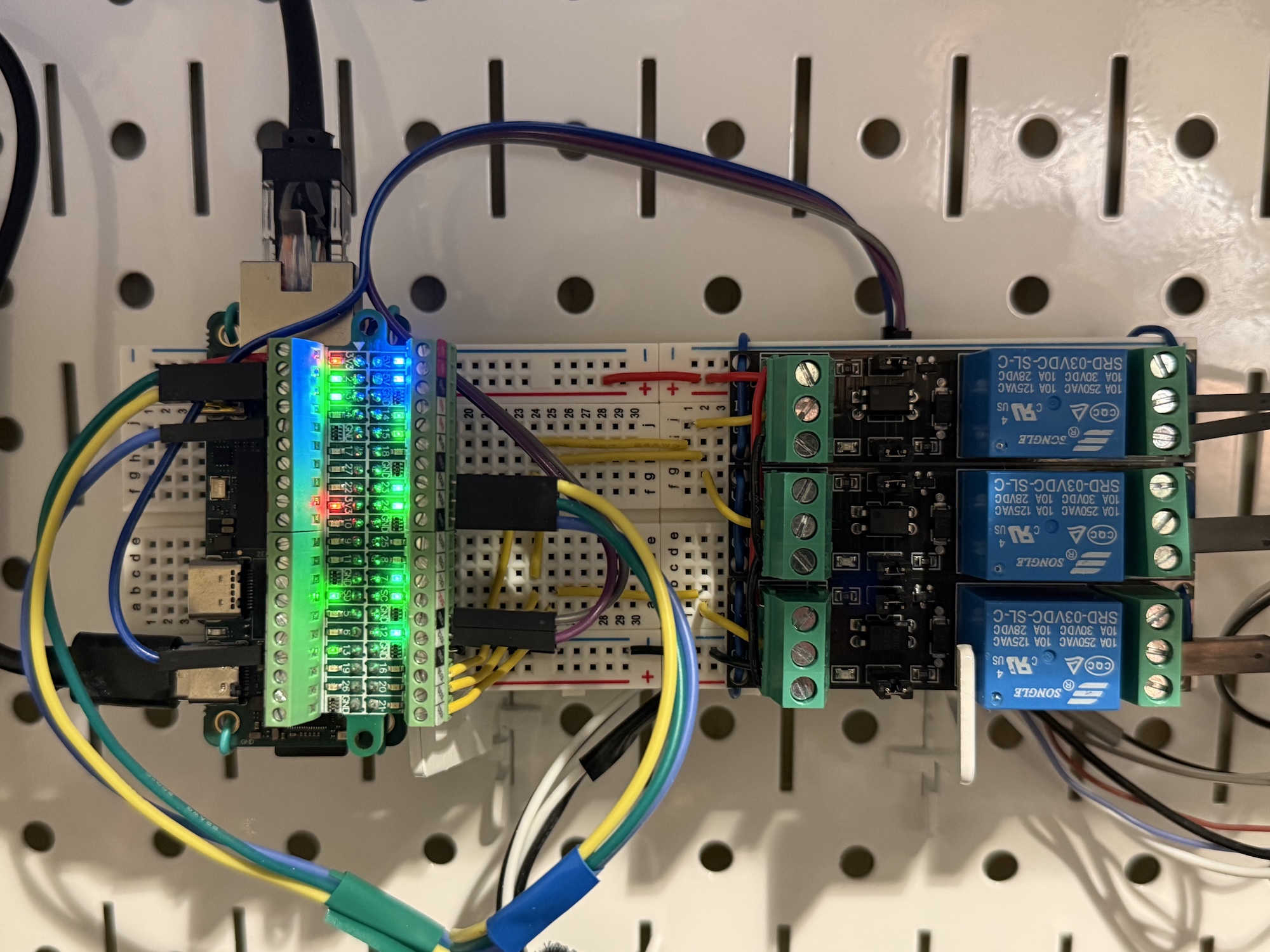
I wanted the lowest power system that can run Linux or FreeBSD and act as a BMC alternative. The Radxa ZERO 3E fits this space perfectly. I have it running DietPi (Debian) as the Linux support for the 24-pin GPIO is better. It gives me serial console access to the other systems nearby, and it is wired to optocoupler power relays that allow me to perform the equivalent of a physical button press on the nearby systems (i.e., I can do a hard reboot remotely if necessary). This tiny thing runs around 1 Watt, 2 max.
Radxa ZERO 3E
─┬───────────
 │
 ├─ CPU: Quad-core Cortex A55
 │
 ├─ SoC: Rockchip RK3566
 │
 ├─ RAM: 2 GB LPDDR4
 │
 └─ µSD: 256 GB
 Qty   Physical Part
 ────┬───────────────────────────────────
   1 │ Radxa ZERO 3E
   1 │ SoC Rockchip RK3566
   1 │ Cortex A55 Quadcore CPU
   1 │ 2 GB LPDDR4 RAM
   1 │ GPIO Breakout Board
   1 │ SanDisk 256 GB microSDXC


 Qty   Virtual Part
 ────┬───────────────────────────────────
   1 │ DietPi - Operating System
   1 │ ext4 - File System
Honorable Mention: ESP32 Microcontroller
In late December 2025 I grabbed an ESP32 device to control UART consoles and remote power-on/off events for my ODROID H4 Ultra and Raspberry Pi 5. It was my first time building a homelab solution that didn’t depend on a server running Linux or BSD to work. I was pleasantly surprised by how easy it was to build and how effective it has been in operation. In the past, BMC features would be a major consideration leading me to purchase server motherboards. This obsoletes that completely and opens a whole new world of SBCs for me.
That said, I ultimately went with the Radxa ZERO 3E for this problem space. It requires less than a Watt more power and allows me to run a full Linux install, which makes administration a lot easier. I’ll continue to tinker with the ESP32, but for now it’s on standby.
Rack 2: Full 24” Deep Rack
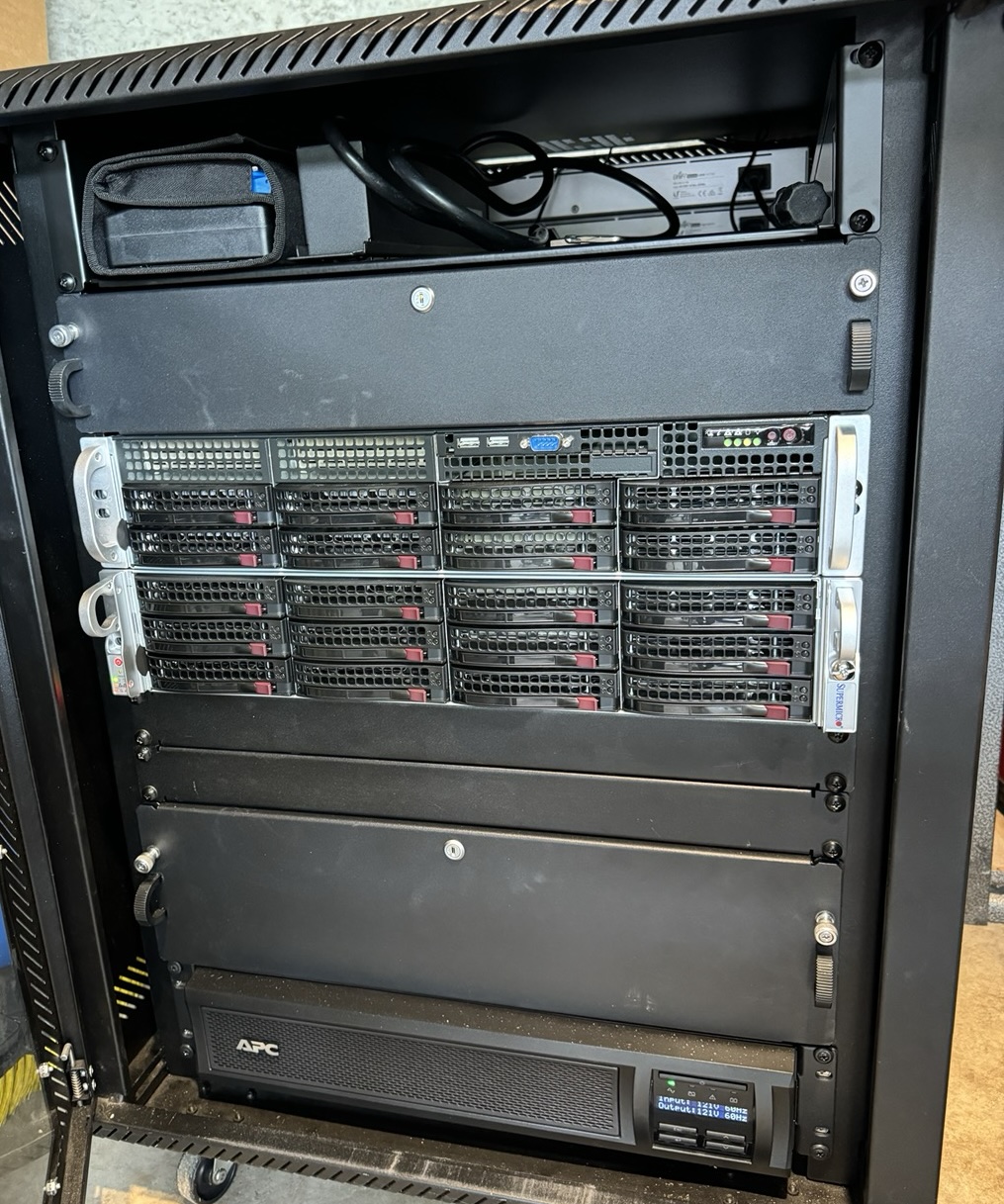
I moved from PC towers to a rack setup in 2013, but as of May 2026 I’ve decommissioned these components in favor of the much smaller, cheaper, and capable SBC components above. The rack servers have served me well over the years. But these days, most things that fit in a 24” rack are overpowered both in terms of capability and electricity consumption. The original thing that attracted me to this space was the ability have a chassis with 8-12 hot swap HDDs. There was a time when one server would have all these slots full. With modern HDD capacities, 4 HDDs are more than enough for my needs, and that likely shrinks to 3 or maybe even 2 HDDs by 2030. For now, they sit offline. I’ll probably sell or give them away at some point.
               15U ROLLING RACK
     ┌─────────────────────────────────┐
  15 │              ↗    Fiber Switch  │
     ├     Shelf    ↗  Ethernet Switch ┤
  14 │    (Front)   ↗      (Rear)      │
     ├─────────────────────────────────┤
  13 │                                 │
     ├              Drawer             ┤
  12 │                                 │
     ├─────────────────────────────────┤
  11 │                                 │
     ├         Supermicro Server       ┤
  10 │                                 │
     ├─────────────────────────────────┤
   9 │                                 │
     ├         Supermicro Server       ┤
   8 │                                 │
     ├─────────────────────────────────┤
   7 │ ════════════ Cover ════════════ │
     ├─────────────────────────────────┤
   6 │ ════════════ Cover ════════════ │
     ├─────────────────────────────────┤
   5 │                                 │
     ├                                 ┤
   4 │              Drawer             │
     ├                                 ┤
   3 │                                 │
     ├─────────────────────────────────┤
   2 │                                 │
     │   ◌ ◌ ◌ ◌ ◌   UPS   ◌ ◌ ◌ ◌ ◌   │
   1 │                                 │
     └───┬─────────────────────────┬───┘
         Ō                         Ō
 Slot  Part (Front-facing)
 ────┬──────────────────────────────────
  15 │ --
  14 │ 2U Shelf
  13 │ --
  12 │ 2U lockable drawer
  11 │ --
  10 │ Supermicro 825TQC-R740LPB Chassis
     │ ├ Supermicro X12STH-F Motherboard
     │ ├ Intel Xeon E-2324G
     │ ├ 4 x 16 GB DDR4 UDIMM ECC RAM
     │ └ Intel X710-DA2 Fiber Network
   9 │ --
   8 │ Supermicro 826BEC1C-R920LPB Chas.
     │ ├ Supermicro X12STH-F Motherboard
     │ ├ Intel Xeon E-2388G
     │ ├ 4 x 32 GB DDR4 UDIMM ECC RAM
     │ ├ Nvidia Mellanox ConnectX-4 Lx
     │ └ Supermicro AOC-S3008L-L8e HBA
   7 │ Cover on blank slot
   6 │ Cover on blank slot
   5 │ --
   4 │ --
   3 │ 3U lockable drawer
   2 │ --
   1 │ Schneider/APC Smart-UPS X 1500
   0 │ 15U Rolling Rack, 24" Depth


 Slot  Part (Rear-facing)
 ────┬───────────────────────────────────
  15 │ UniFi 24 PoE Switch
  14 │ UniFi Fiber Switch